Umami umami-work.com
Tired of running the shop on spreadsheets?

Built for the fleet repair shop, by the fleet repair shop.

Umami is shop management software for fleet, service and rental — written in a working shop, on the floor, by the people using it. Not by a software company guessing at what a service manager does all day.

It runs the jobs, the hours, the parts, the machines and the schedule on your own server — so the waste that costs you money every day, the re‑typing, the hours nobody billed, the part that went on the job and never on the invoice, stops leaking.

And you can ask it. Say “hey umami” and it answers out of your own records.

UmamiDemo Shop — □ ×
Work ordersTimesheetsInventory ScheduleReportsMachinesFleet
customer, machine, serial, or work o… OpenCompleteAll Demo data
Illustration · the work orders list, demo shop and demo data
WO #DateCustomer MachineStatusLines HrsTotalFlags
WO-10428/21/26Demo Pump & Rental Pump Skid · Natural…In progress314.6 6,842.502 new write-ups · parts on order
WO-10398/19/26Demo Fleet Services Standby GensetWaiting parts48.2 4,125.00parts on order · 1 unapproved
WO-10378/18/26Demo Equipment Co Diesel WelderIn progress25.8 2,380.751 new write-up
WO-10348/14/26Demo Industrial Transfer PumpOpen32.4 1,148.20
WO-10318/11/26Demo Rental Yard Boom Lift · 60 ftIn progress518.1 7,920.003 new write-ups · parts on order
WO-10288/7/26Demo Parish Services Wheel LoaderOpen20.0 1,825.00
+ New work order Open work order
connected · demo shop
One database · the desk, the tablet and the phone see the same rows

Work order software for fleet, service and rental operations

From the phone call to the invoice: the job, the hours, the parts and the machine in one database, not four sources that have to be made to talk to each other.

Open this sectionClose this sectionWork orders · Timesheets and the clock · Parts, cores and the counter · Purchasing and vendor quotes · Scheduling · Documents · Customers and sites · Rights

Ask it instead of hunting. “Hey umami — what is waiting on parts?” and the jobs that are, come back.

Work orders

Know what a job was quoted at while it is still running.

Job lines carry quoted against actual, and customer approval is recorded on the line it belongs to. Nobody argues about it four months from now.

  • Write-ups from the field, flagged until somebody reads them
  • Parts on order shown on the job, not on a sticky note
  • Warranty work kept apart from the work that bills

Timesheets & time clock

A man clocks on to a task, not on to the day.

Hours land on the job and the task they were spent on. That is the only reason a margin report is worth reading.

  • Payroll periods and approvals, in the bay or in the field
  • A mechanic sees his own time; a manager sees everyone's
  • Field travel is round-trip from the tech's own base, every time
  • Shop time goes on the shop's own accounts, not on a customer's job

Parts, cores & the counter

The parts counter is a screen, not a notebook.

Catalogue, receiving, lots, cores and serialised units sit behind the counter ticket and the physical count, so the man selling a part can see what is left and which job it was bought for.

  • A place to put the part nobody has catalogued yet
  • Cores tracked out and back
  • What a part cost you, and what it went out at

Purchasing & vendor quotes

Know what you asked for, who answered, and what you paid.

Purchase orders, vendor offers and quote comparison together, tied to the job the parts were bought for.

  • Compare offers side by side before you commit
  • Receiving updates the job that was waiting on it
  • The assistant can read a supplier's invoice into rows for you

Scheduling

One board everybody can see.

Assign the work, set the dates, and escalate the hot job before the customer does it for you.

  • Everyone can see where the work sits; only the people you name can move it
  • Emergency escalation shows up everywhere the job appears
  • The dates you set are the dates the reports grade you against

Documents

The paperwork comes back from the yard intact.

Work orders, estimates, sales orders and inspection reports come out of one document engine and are saved onto the record they came from.

  • Print it, save it, or feed it to the next form
  • Photographs and signatures travel with the document
  • It leaves your database in the same backup as everything else

Customers & sites

The customer, his sites, and every machine he owns, in one place.

Contacts, addresses, the units on each site and the work behind them. What a customer owes you in work is a question with an answer, not a hunt through a filing cabinet.

  • The machine list a service manager rings about
  • Site addresses the field man can navigate to
  • Rates and terms held on the customer, not retyped on every job

Rights

Wages, costs and margins stay with the people they belong to.

You decide what each person can open and what they can change, and it holds wherever that record turns up: the desk, the tablet and the phone. Payroll is kept off the shop-floor login in the database as well, not only on the screen.

  • Set once, and the same answer on every screen the record appears on
  • The shared shop machine and a man's own phone are not the same login
  • Mechanics on their own phones, revoked by killing a token
One database, from the phone call to the invoice: work ordertask sheethours partsinspectionmachine history — and a clean invoice for the finance software you already run

Ask your own shop a question: the assistant that reads your records

You talk to it and it answers about your shop, out of your own records. It is not a help file, and it is not a chatbot that has never seen a row of your data.

Open this sectionClose this sectionWhat you can ask it, where the answer comes from, what it costs, and what it will not tell the man asking
Ask UmamiDemo Shop — □ ×
what is waiting on parts? Ask
Illustration · the assistant answering from your own rows
WO #Customer MachineWaiting on Assigned
WO-1039Demo Fleet Services Standby GensetInjector setD. Reyes
WO-1031Demo Rental Yard Boom Lift · 60 ftLift cylinder seal kitM. Cole
WO-1042Demo Pump & Rental Pump Skid · Natural…Coupling, gasket setD. Reyes
answered from your database · no internet
Ask it in the words you already use · demo shop, demo data

The assistant

Say “hey umami” and ask. You get your own rows back, not an article.

The everyday answers are read straight out of your database, so they need no internet and nothing metered behind them. Ask what is waiting on parts, who is on which job, what a customer owes in work, or what you did to a unit the last time it came in.

  • Hands free. Say its name and ask — nothing to put down, no keyboard to go and find
  • It answers out of your shop's records, not out of a manual somebody else wrote
  • It can take you there as well as tell you: ask for a job by number and it opens it
  • Nothing leaves the building to ask an everyday question
  • Where a model genuinely helps — reading a supplier's invoice into rows, drafting a task sheet out of past jobs — it is optional, and the shop picks the backend: your own hardware, or your own key
  • It answers inside your rights: nobody gets a number out of it that they could not have opened on the screen
  • An answer says where it came from: your rows, or a model

Shop reports you write yourself, over your own database

Not a fixed list of canned reports somebody else chose for you. A builder over the shop's own data, where every figure keeps the query that made it.

Open this sectionClose this sectionThe builder · Versioned and traceable · Thresholds and delivery · The shop’s own costs

Ask the board a question. Say what you want counted and it will help you write the metric; ask what a number means and it reads the figures back in words, with the query it came from.

The builder

If you can describe the number, you can put it on the board.

Write the metric over your own tables, name it, and keep it. Hours over quote, gross margin, work in progress, billable utilisation, jobs awaiting parts, cycle time, on-time close, and then the ones only your shop cares about.

  • Your data, your definitions, your wording
  • No waiting on a vendor to add the report you need
  • The numbers your shop argues about, defined the way your shop argues about them

Versioned and traceable

A number that moves traces back to the query that made it.

Every metric is a saved query with revisions. Change how a figure is worked out and the older definition is still there to compare against.

  • Nobody has to take a black box on faith
  • The definition travels with the number
  • Two managers can stop arguing about whose spreadsheet is right

Thresholds and delivery

The board tells you what is out of band before the customer does.

Set the threshold once and the exceptions come to you. Then take the result wherever it has to go.

  • Export it, print it, or save it onto the job it came from
  • The same report on the desk and on the tablet
  • The figures come off the live database, not off last month's extract

The shop's own costs

What the shop spends on itself is a number too.

Training, safety, shop maintenance and unapplied hours sit on the shop's own accounts, and a standing cost is entered once with how often it comes round.

  • Shop hours counted, and kept off a customer's invoice
  • A cost that repeats is entered once, not twelve times a year
  • Next month, next quarter and year end are a figure you can look at

Equipment inspection software and task sheets you build once

Your shop's way of doing a job, written down, and then handed to whoever picks up the next one. Templates are yours to write and yours to change.

Open this sectionClose this sectionTask sheet templates · Inspection templates

The sheet drafts itself. Ask for a task sheet on a model and it drafts one out of what this shop has already done to that model — your steps, your wording, not a generic checklist.

Task sheet templates

The way your best hand does the job becomes the way it gets done.

A job breaks into tasks, and the tasks can be drafted from what the shop has already done on that model. The man who picks up the next one starts from the last one instead of from a blank line.

  • Labour books to the task, so "where did the hours go" has an answer with names on it
  • Photographs hang on the task that took them
  • Improve the template and the next job gets the better version
  • A new hand walks through the job in the order the shop wants it done

Inspection templates

Build your own checklist and run it at the machine, not from memory.

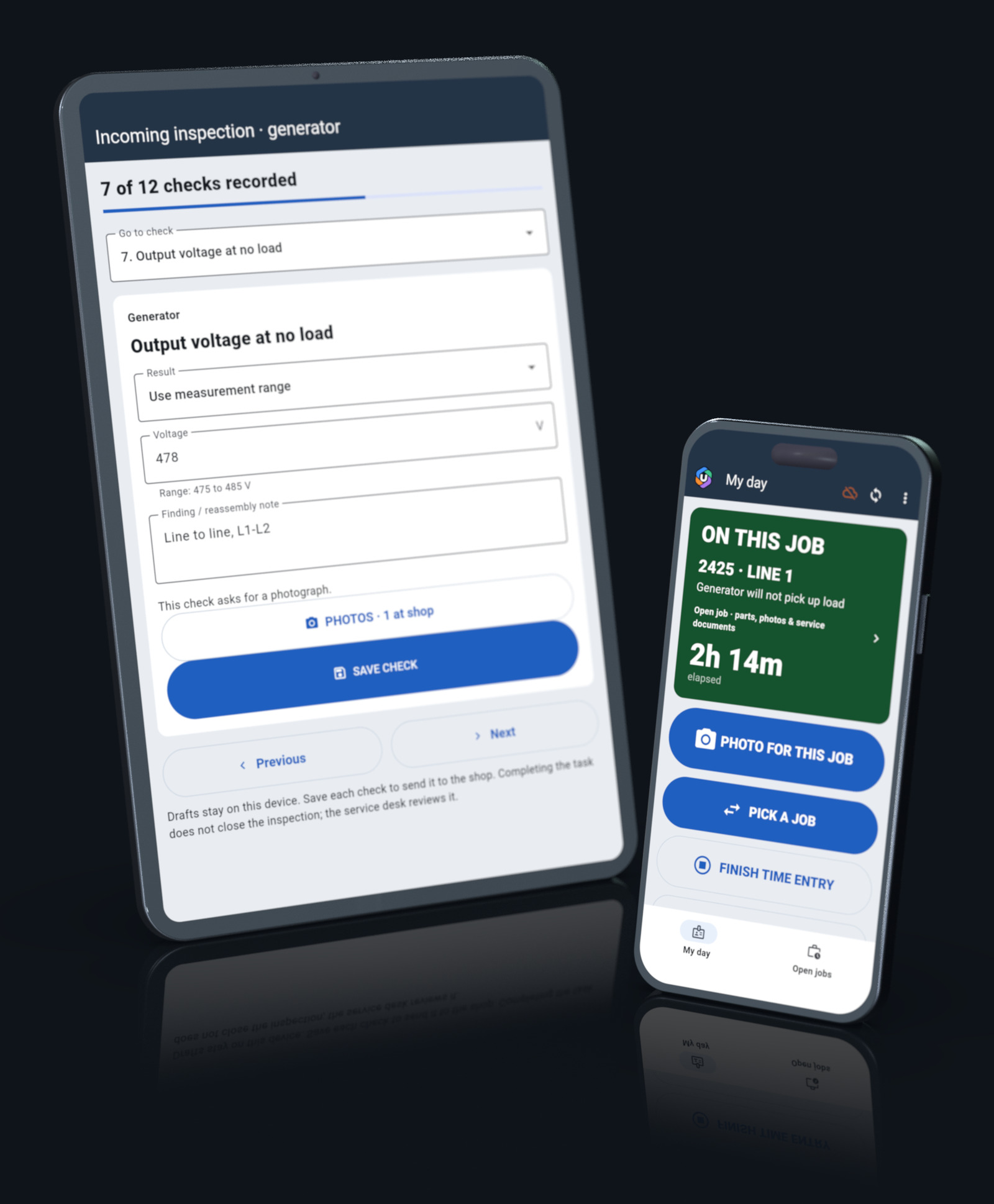
Items, results and photographs on a tablet in front of the unit. A finding becomes a job line without retyping it, so nobody writes the write-up twice.

  • The photograph attaches to the item that failed
  • Inspections bracket the job at both ends, in and out
  • The customer gets a report he can read, not a story over the phone
  • Your checklist, your wording, your standard, including the awkward items

Equipment service history: the machine and model database

Every unit the shop has ever touched, and what was done to it, when, and by whose hand. The machine remembers even when the men change.

Open this sectionClose this sectionEvery unit · Documents on the model · Serial ranges

Ask a machine what happened to it. “What did we do to that genset last time?” is a question with an answer, read out of the unit’s own history.

Every unit

The whole history of a machine, on the machine.

Serial, model, hours, who owns it and every job it has been through. When a customer asks what you did last time, the answer is on the screen before he finishes asking.

  • History follows the machine, not the customer file
  • A unit that changes hands keeps its record
  • The assistant can read that history back to you

Documents live on the model

Attach the manual once, and every unit of that model has it.

Manuals, wiring diagrams, parts books and build sheets hang on the model, not on one machine. They open from the job.

  • One upload instead of one per machine
  • Four levels of access on a file: public, the shop floor, engineering, the office
  • Nothing to go looking for in a filing cabinet

Serial ranges

The right revision stays with the right machine.

A document or a procedure can be pinned to a serial range, so an older unit does not get handed the newer book.

  • Revisions kept apart instead of overwritten
  • The correct diagram for the unit in front of you
  • Model changes recorded where the machine can see them

Fleet management: what you own, what you rent out, what you hold

Ownership, custody and state are three different facts about a machine, and the program keeps them apart instead of guessing.

Open this sectionClose this sectionOwnership, custody and state · Rentals · Renewals · The equipment log

Ask where it is and what it earned. Who has it, when it is due back, what it has made against what it has cost.

Ownership
Whose it is
Yours, the customer's, or a unit you are holding for somebody. A machine you are holding is not billed as yours or sold as yours
Custody
Who has it
In the yard, in the bay, out on hire, or sitting at a site. Where a machine is, answered without ringing round the yard
State
What it is doing
Available, down, in service, or earning. A unit that is down stops showing up as available to hire out

Rentals

The machine that earns and the machine that gets fixed are the same machine.

Out, back, serviced, out again. What the unit has earned, against what it has cost you to keep it running.

  • A rental and its service history in one record
  • What went out with it, and what came back
  • The bay knows the unit is due back before the customer rings

Renewals

The date that costs money when it passes comes to you first.

Registration, insurance, certification and service intervals, held on the machine and surfaced before they lapse.

  • Dates on the unit, not in somebody's calendar
  • Set a threshold and let the reports board raise its hand
  • Nothing goes out of service because a certificate quietly expired

The equipment log

What happened to it, when, and by whose hand.

Meter readings, movements, damage, services and the notes the men wrote at the time. The log belongs to the machine and outlives the work order.

  • Entries the log keeps even when the job is closed
  • Written on a phone, where the work happened
  • The record you want the day somebody disputes a bill

A QR plate on every machine that scans to your own service database

Every machine wears a plate. The plate scans to that machine's own record, on a domain the shop owns.

Open this sectionClose this sectionWhat the plate shows, who is allowed to see it, and whose domain it points at

And the paperwork reads itself. Drop a supplier’s quote or invoice on the program and the assistant reads it into rows, with the arithmetic checked before anything reaches your catalogue.

Scan for service history
Unit 4471
Standby genset · 165 kW
Scans to your own service database, on a domain you own.
Illustration · the plate on a machine, and the domain behind it

The QR asset plate

Your machines scan to your domain, not ours.

A shop that runs Umami stands up its own service-database site. The plates you put on your machines point at it. A customer, a driver or a mechanic scans the plate and gets that unit's record: what it is, what has been done to it, and the documents you chose to publish.

  • You decide what is public. A plate can show a service history and a manual and nothing else
  • The plate outlives the work order, the mechanic and the paint
  • Your domain, your database, your documents. Umami does not sit in the middle of it, and the plate does not point at umami-work.com
  • A machine that changes hands takes its record with it, and the new owner scans the same plate
  • The pieces bolted to it bring their own folders onto the plate, so a swapped pump puts its own book on the machine

Why on-premise shop software beats a cloud subscription here

What a program on your own server gives you that a per-seat, per-month service cannot.

Open this sectionClose this sectionSix answers: your server, no internet, your own updates, your own hardware, your own assistant, your own accountant
01

It runs on your server, not somebody's cloud.

The database sits on a box in your building. Nobody else's shop is in it and nobody else's login reaches it. You own the records because of where they are, not because a contract says you do.

Capability · your hardware, your data, your backups

02

It works with no internet.

Your records are in your building, so the shop keeps working when the line outside does not. The phones and tablets go on working out of range and catch up when they are back. The optional assistant backend is the only thing that ever reaches outside the building, and it switches off.

Capability · fully usable with the assistant backend switched off

03

The phones update themselves from your server.

No store account, and nobody else deciding when your shop may have the new version. Your own box hands it to the phones and they keep everything they were holding.

Capability · nothing published to a store · Android 7.0 and later

04

It runs on the hardware you already own.

The office desktop, a small box in the corner for the database, and the tablets already in the bays. No graphics card anywhere, and nothing to buy before you can start.

Capability · no graphics card required · Windows 10 and 11 · Linux

05

You can talk to it, and the everyday answers cost nothing.

The questions you ask all day are read out of your own records, so nothing is metered and nothing leaves the building. Where a model genuinely helps it is optional and it is yours — your own hardware or your own key — and you can turn it off.

Capability · your rows for the everyday answers, your choice of backend for the rest

06

It integrates with the finance software you already run.

Umami will not ask you to move your books. It owns everything before the invoice — the job, the hours, the parts, the machine — and hands over a clean invoice at the end of it.

Capability · the job, the hours, the parts and the machine here; the books where your accountant already keeps them

Who this shop management software is built for

Operations that keep machines running and want their own numbers about it, on their own screen, without asking anybody's permission to get at them.

Open this sectionClose this sectionFleet operations · Service shops and dealers · Rental yards · OEMs and service networks

Fleet operations

You own the iron and it has to be ready. Service intervals, hours, downtime and what a unit costs you to keep, held on the machine itself.

Service shops & dealers

You work on other people's machines. Quoted against actual, write-ups from the field, and paperwork that comes back from a customer's yard intact.

Rental yards

Out, back, serviced, out again. The machine that earns and the machine that gets fixed are the same machine, and the plate on it should say so.

OEMs & service networks

Model documents, serial ranges and warranty work, shared with the independent shops that service your machines. The manual and the machine's history travel together.

How it is installed, and the system requirements to run it

None of the steps is "create an account".

Open this sectionClose this sectionFour steps: a box, the desktop, the phones and tablets, and your existing history
  1. Step 01

    A box

    Your own server, or a machine in the office. PostgreSQL goes on it, with the small service the phones talk to beside it. It listens on your network, not on the internet.

  2. Step 02

    The desktop

    An installer for Windows or Linux. It talks straight to your database. Updates come from your own update server, when you decide to take them.

  3. Step 03

    The phones and tablets

    Point them at your box once and they update themselves from it afterwards. No store account, nothing published to Google or Apple. Android 7.0 and later, iOS to follow.

  4. Step 04

    Your history

    Your existing records come across with you: machines, customers, parts and the jobs behind them. Importing them is a job we do with you, not a wizard we leave you with.

Licensed per shop, not per seat per month.

The number depends on the size of the shop, and it does not grow every time you hire a man. Ask what it costs

Ask for a walkthrough, or for more information

Tell us what you run and how the shop works. You get a straight answer about what Umami does and what it does not do yet.

Write to us

One email, straight to the person who built it. Tell us what the shop runs on today, what goes wrong with it, and what you want to see. The message opens with those questions already in it.

Write to us No account, no newsletter, and nothing sold on. hello@umami-work.com

Questions a shop owner actually asks

The awkward ones are here on purpose.

Do I need an internet connection?

No. The database is on your server, the mobile app holds its work offline, and the program updates from your own update server. The only thing that ever reaches outside the building is the optional assistant backend — and the program is fully usable with it switched off, which is the state a man at a well site is in anyway.

What happens if my server dies?

It is PostgreSQL, so it is backed up and restored like any other PostgreSQL: your backup, your schedule, your off-site copy, sized to the shop and set up with you at installation. Documents and photographs are rows in that same database, so one dump takes the lot and nothing is left behind in a file share.

Meanwhile the phones and tablets keep working offline and sync when the box comes back.

Can I get my data out?

It is your PostgreSQL on your hardware. Any SQL client, pg_dump, or the export on the reports board. Documents are rows in that same database, so they come out in the same dump as everything else. There is no export fee and nothing to negotiate, because there is nothing to hand back — you never gave it away.

Does it replace my accounting software?

No, and it should not. It integrates with the finance software you already run. Umami owns the job, the hours, the parts and the machine, and hands over a clean invoice at the end of it. Your books stay where your accountant already knows how to find them.

What hardware do I need?

An ordinary office desktop, running Windows 10, Windows 11 or Linux. No graphics card is required, on the desk or on the server. The tablets in the bays can be the ones you already have.

For the server, small. PostgreSQL and the little service the phones talk to sit on the same box. Nobody needs to buy a rack.

What about my phones and tablets?

Android 7.0 and later today, iOS to follow. The phones update themselves from the shop's own server, so nothing is published to a store. The men can use their own phones; the shop revokes access by killing the token, and the cached copy expires on its own.

What does it cost to run once it is installed?

Electricity and a box. The everyday assistant answers cost nothing at all, because they are read out of your own database. If you turn the optional model backend on, it is metered by whoever you chose to run it, on your own hardware or your own key, and you can turn it back off.

Can my mechanics see everybody's wages?

No. Rights are set per person: a mechanic sees his own time and a manager sees everyone's. Payroll is kept off the shop-floor login in the database as well, not only on the screen.