Inventory
Every part, where it lives and what it is worth.
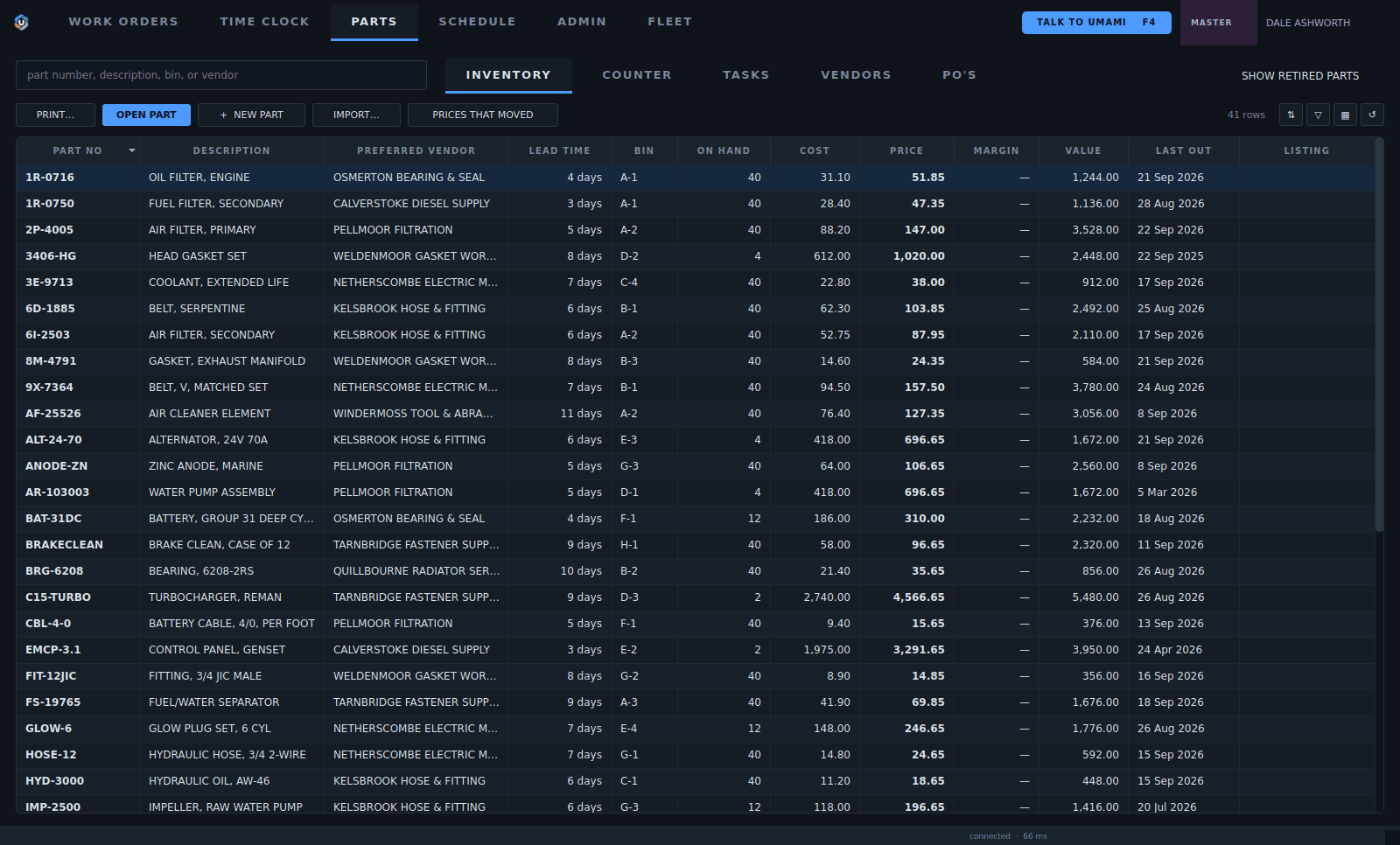
1Inventory, counter, tasks, vendors and purchase orders, all in one tab.
2Open a part, add one, import a catalogue, or see prices that moved.
3The preferred vendor and how long it takes to come in.
4Bin location and how many are on hand.
5Cost, price and the value on the shelf.
6When one last went out.
- Inventory, counter, tasks, vendors and purchase orders, all in one tab.
- Open a part, add one, import a catalogue, or see prices that moved.
- The preferred vendor and how long it takes to come in.
- Bin location and how many are on hand.
- Cost, price and the value on the shelf.
- When one last went out.
The counter
Walk-in sales on a ticket of their own.
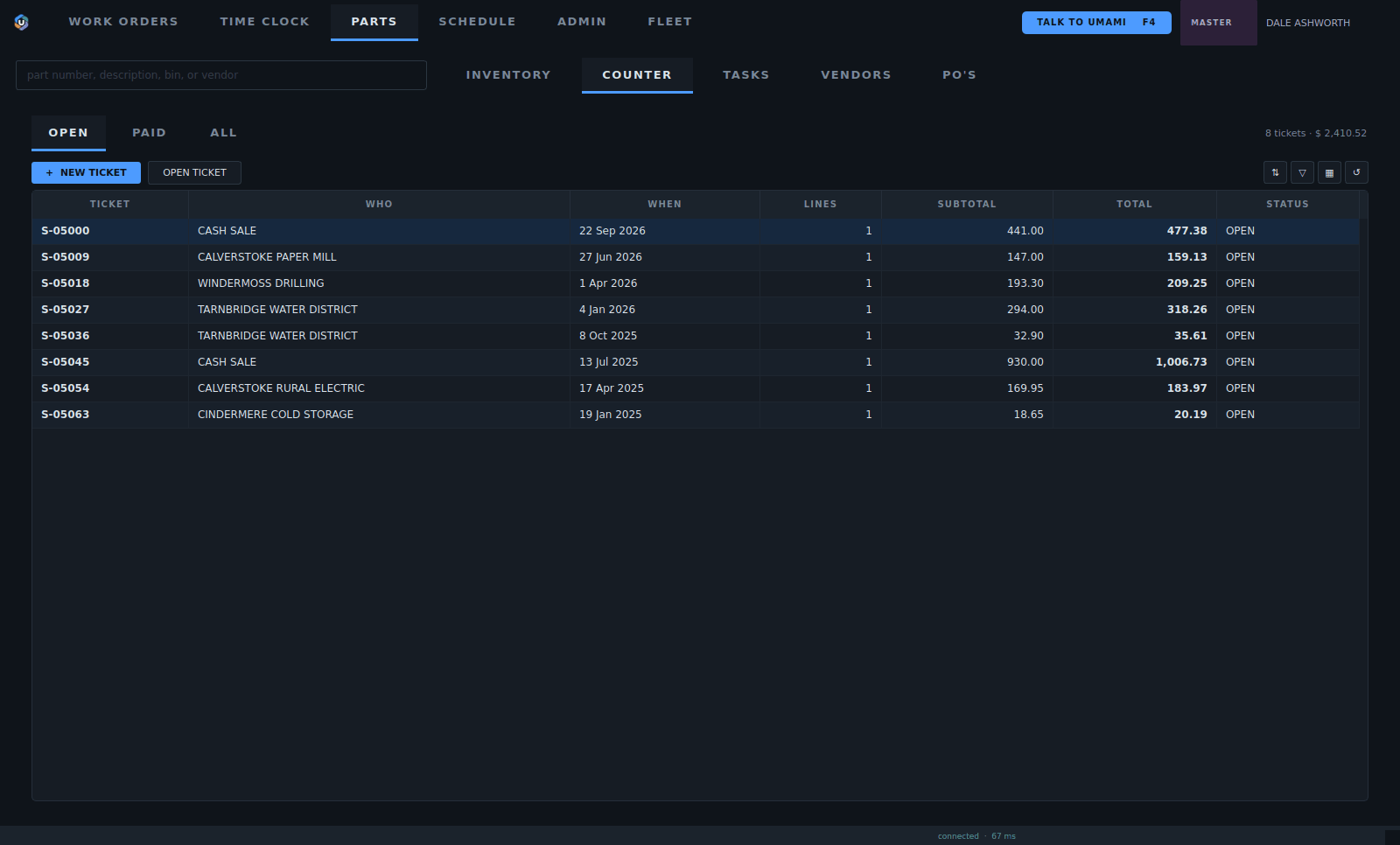
1Open, paid, or every ticket.
2Start a ticket for a walk-in.
3Each ticket: who, when, lines and the total.
- Open, paid, or every ticket.
- Start a ticket for a walk-in.
- Each ticket: who, when, lines and the total.
Purchase orders
What was ordered, from whom, and whether it came in.
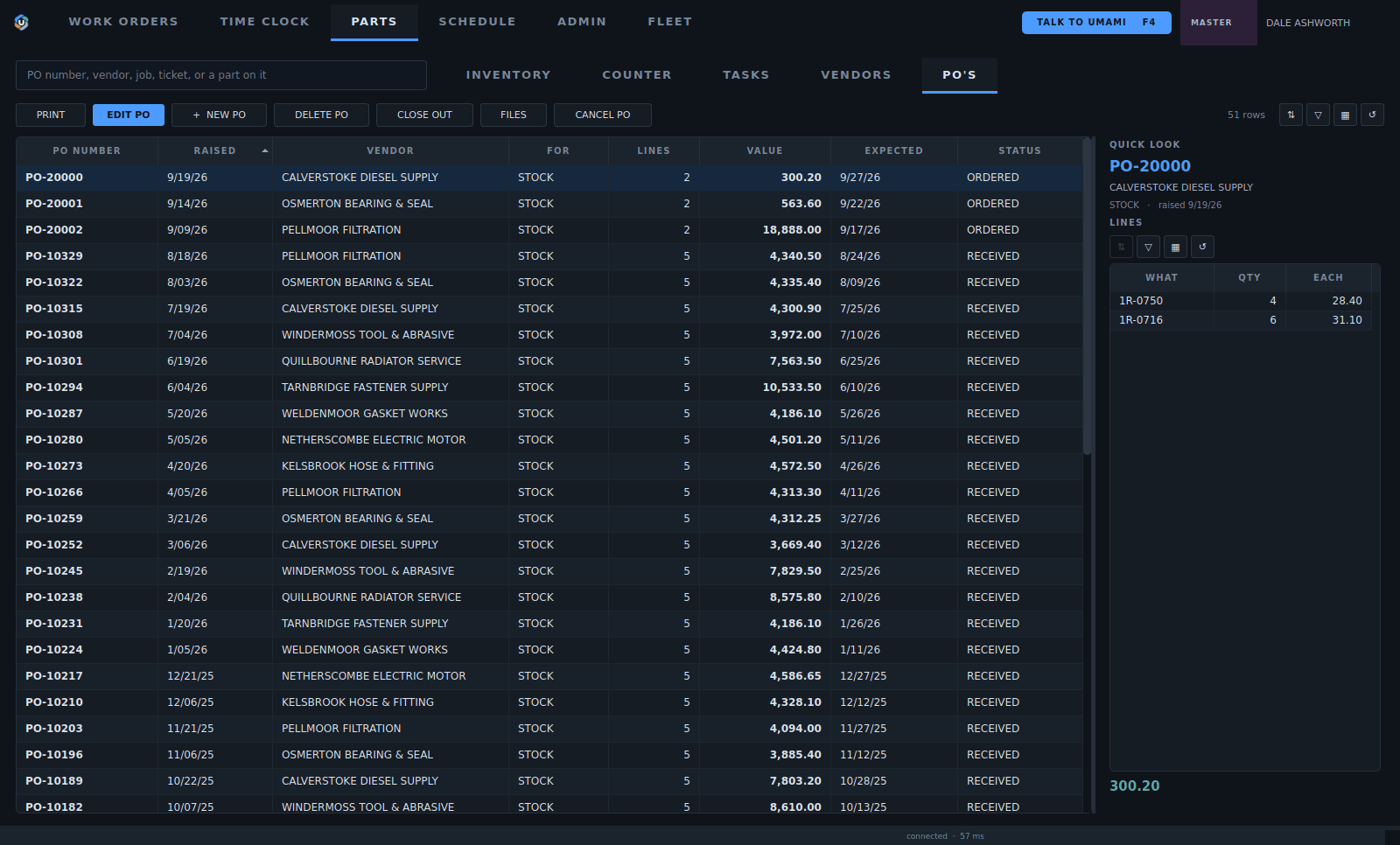
1Raise, edit, close out or cancel an order.
2Ordered or received, at a glance.
3When it is expected.
4The order's lines without opening it.
- Raise, edit, close out or cancel an order.
- Ordered or received, at a glance.
- When it is expected.
- The order's lines without opening it.
Building an order
One order, its lines and the vendor's paperwork.
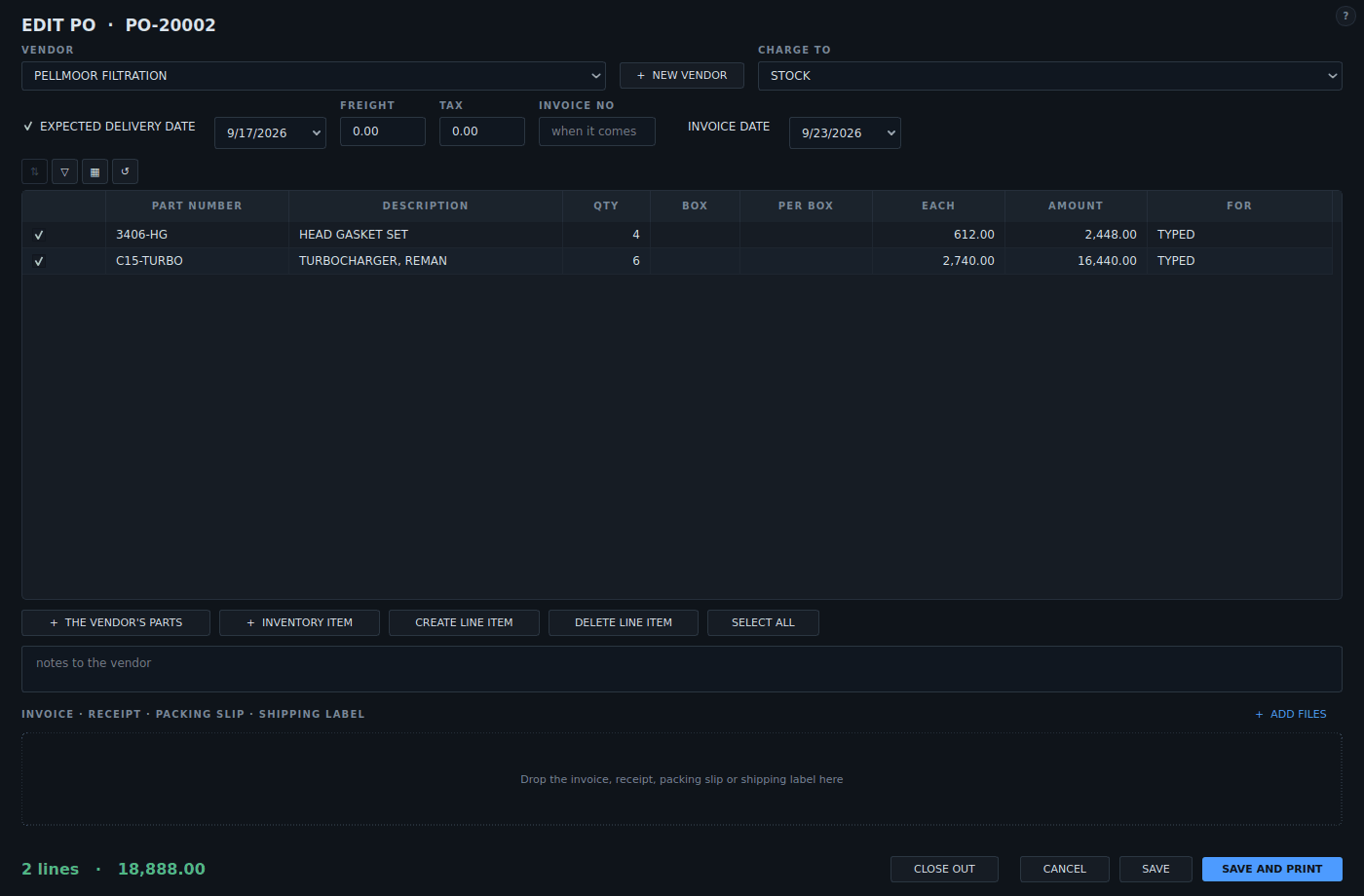
1The vendor and what the parts are charged to: stock or a job.
2Expected date, freight, tax and the vendor's invoice number.
3Add the vendor's parts, an inventory item or a line of your own.
4The lines: part, quantity, price and what each one is for.
5Drop the invoice, receipt or packing slip on the order.
- The vendor and what the parts are charged to: stock or a job.
- Expected date, freight, tax and the vendor's invoice number.
- Add the vendor's parts, an inventory item or a line of your own.
- The lines: part, quantity, price and what each one is for.
- Drop the invoice, receipt or packing slip on the order.
Receiving
What came in goes to the job or to the shelf.
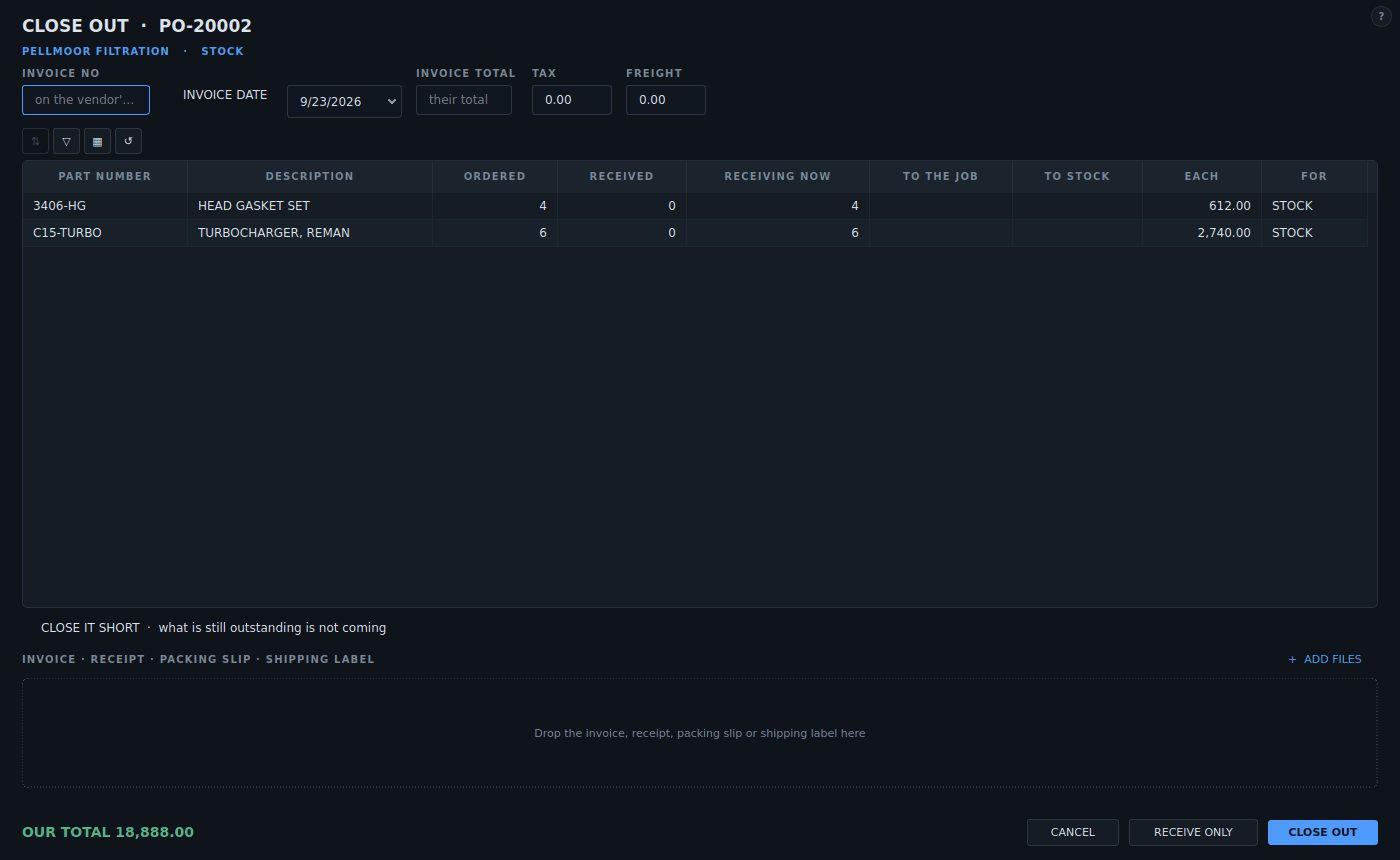
1The vendor's invoice number, date and total.
2Close it short when the rest is not coming.
3Receive now, and send it to the job or to stock.
4Receive part of it now, or close the order out.
- The vendor's invoice number, date and total.
- Close it short when the rest is not coming.
- Receive now, and send it to the job or to stock.
- Receive part of it now, or close the order out.