Out on rent
The fleet list, filtered to the units that are out right now.
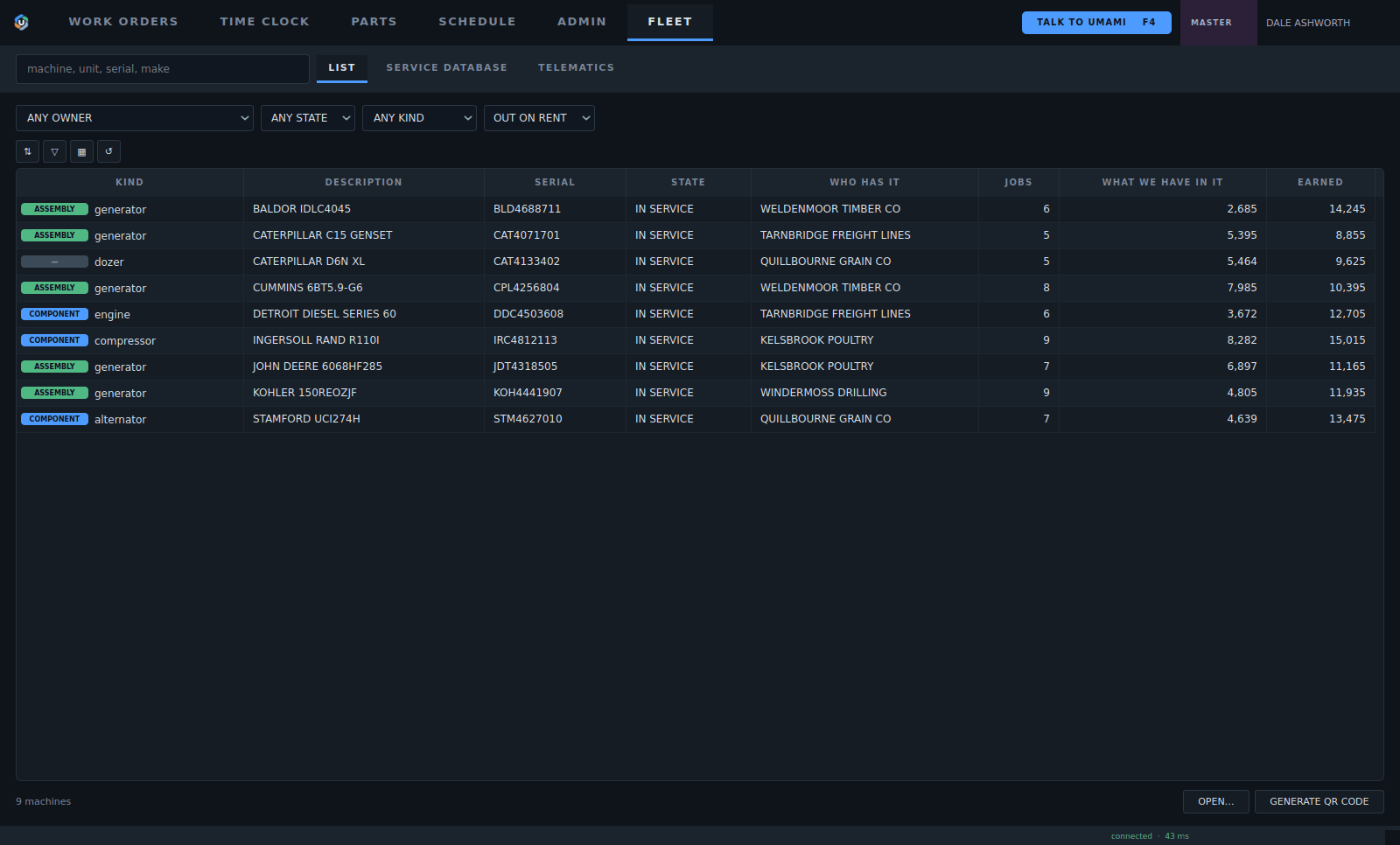
1Filter by owner, state, kind and rental.
2Who has each unit right now.
3Open the machine: its record, its papers and its log.
4What the shop has in it.
5What it has earned on rent.
6Make a QR plate for any machine.
- Filter by owner, state, kind and rental.
- Who has each unit right now.
- Open the machine: its record, its papers and its log.
- What the shop has in it.
- What it has earned on rent.
- Make a QR plate for any machine.
Minting a QR plate
Each plate gets a code of its own, on your own web address. Print it or laser cut it, and it stays with the machine for its whole life.
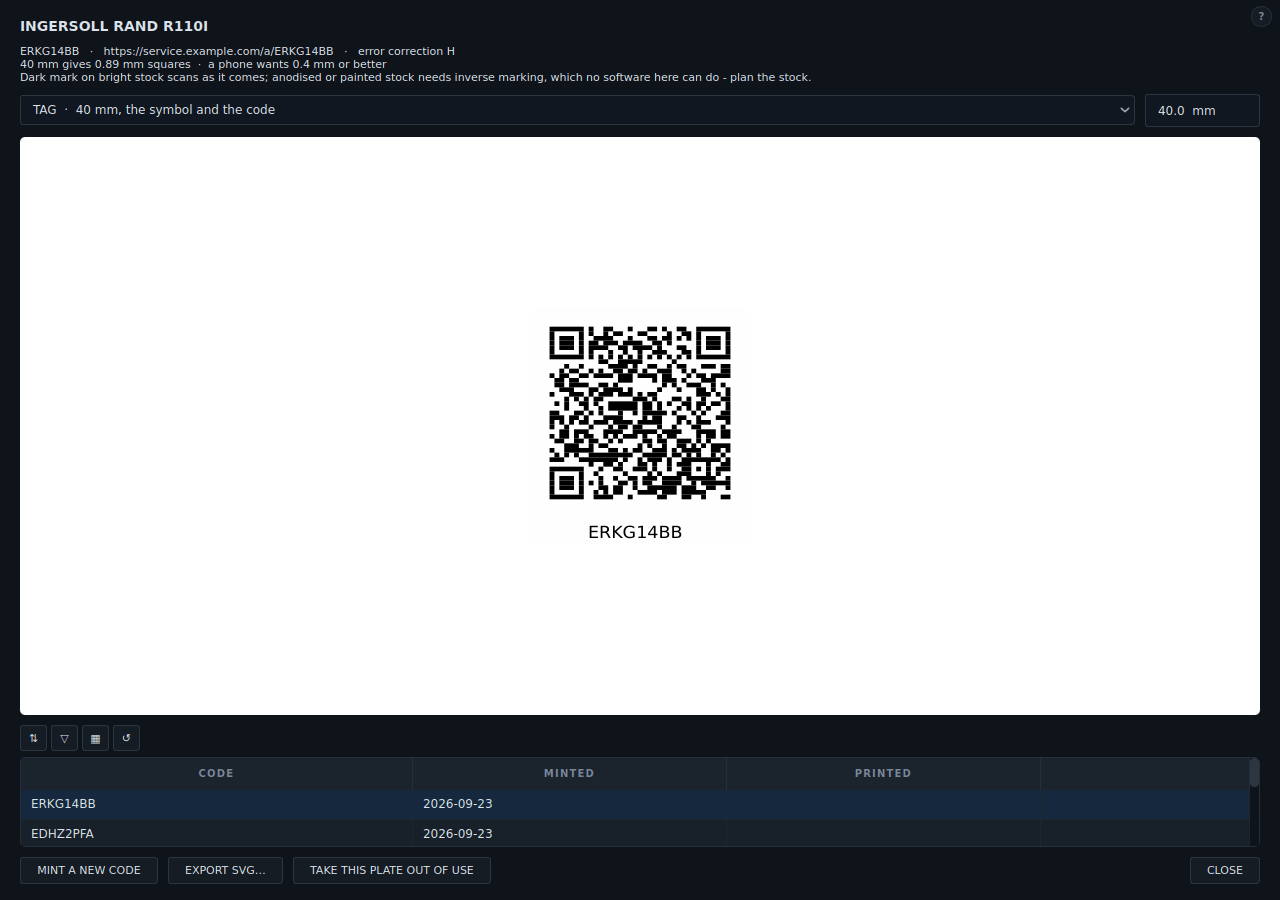
1A new code, and the address the plate scans to.
2Pick the plate style and size.
3Mint a new code, export the plate, or take a lost plate out of use.
4Export the plate to print it or laser cut it. It stays with the machine for its whole life.
5Every code minted for this machine, and when it was printed.
- A new code, and the address the plate scans to.
- Pick the plate style and size.
- Mint a new code, export the plate, or take a lost plate out of use.
- Export the plate to print it or laser cut it. It stays with the machine for its whole life.
- Every code minted for this machine, and when it was printed.
The machine's record
One page for the machine, its papers and its log.
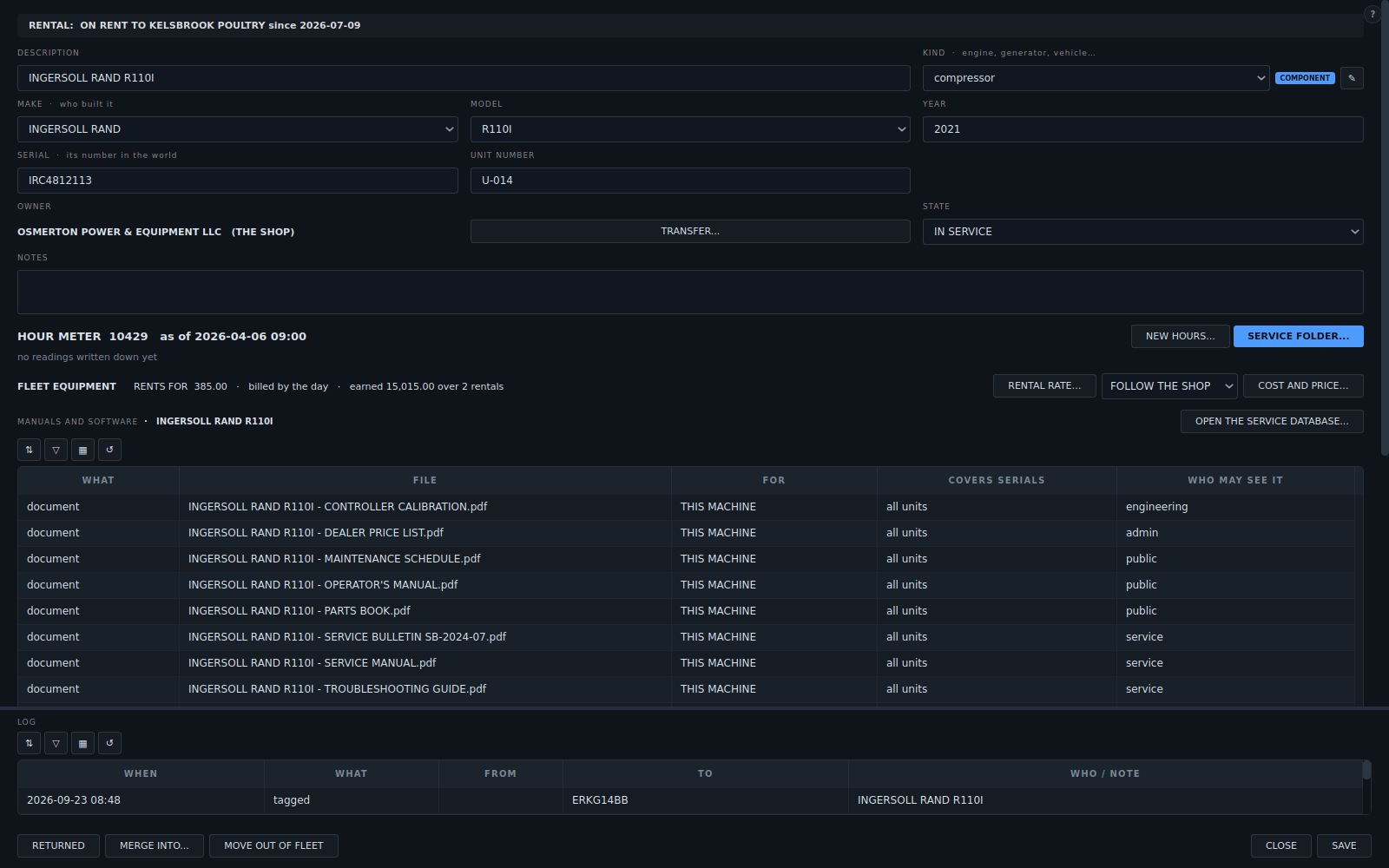
1Rental rate, how it bills and what it has earned.
2The model's manuals, drawings and software, on the machine.
3The log: rented out, returned, tagged and transferred.
4On rent: to whom and since when.
5Files marked public stay with the machine for its whole life: operator's manuals, parts books, maintenance schedules. Scan the plate and they open.
- Rental rate, how it bills and what it has earned.
- The model's manuals, drawings and software, on the machine.
- The log: rented out, returned, tagged and transferred.
- On rent: to whom and since when.
- Files marked public stay with the machine for its whole life: operator's manuals, parts books, maintenance schedules. Scan the plate and they open.