The work order list
Every open job, with what it is waiting on.
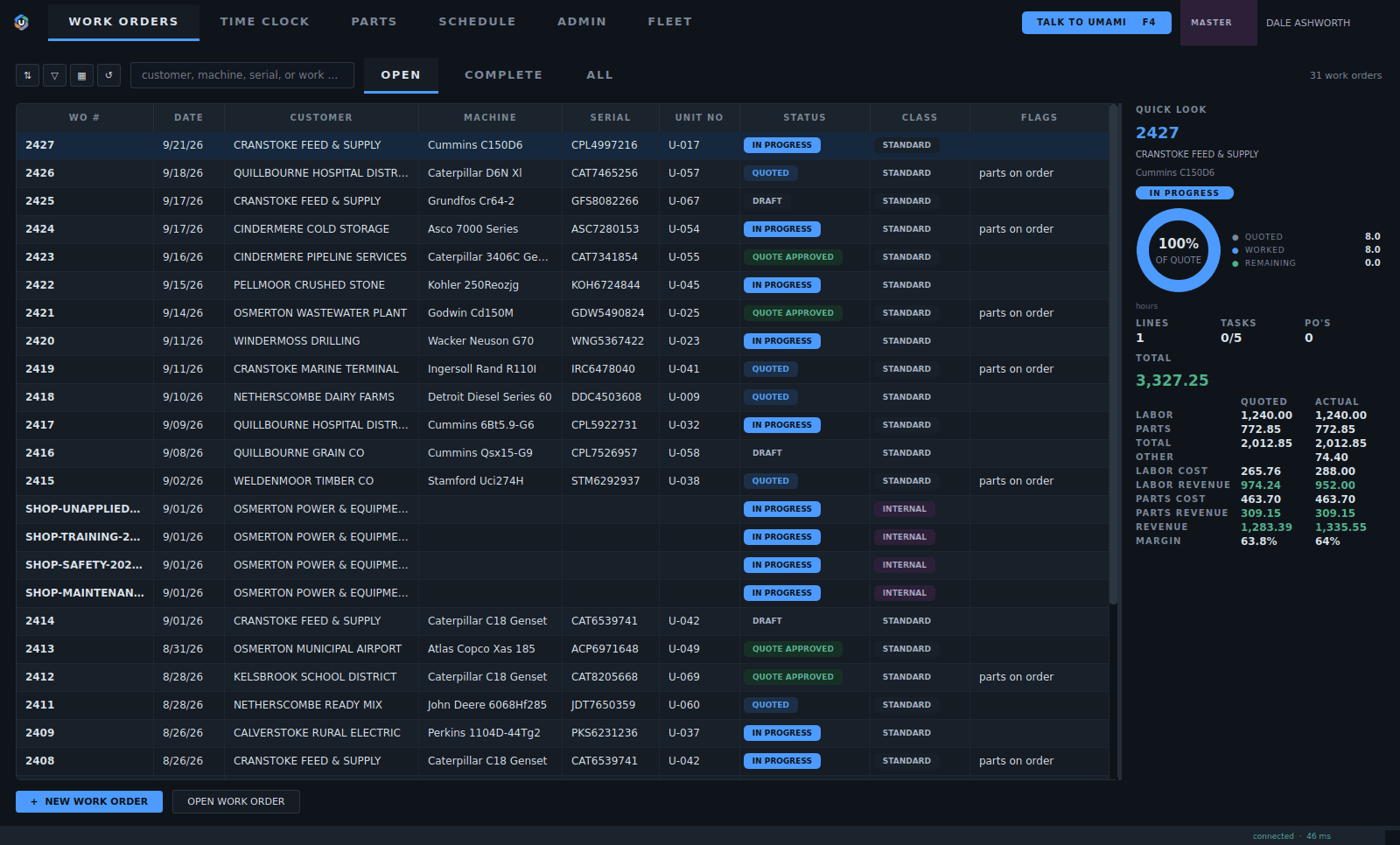
1Easy to use navigation that makes sense. Any window can be opened side by side.
2Find any job by customer, machine, serial or work order number.
3The status of every job at a glance.
4Instant job information at your fingertips.
5Flags show what a job is waiting on, like parts on order.
- Easy to use navigation that makes sense. Any window can be opened side by side.
- Find any job by customer, machine, serial or work order number.
- The status of every job at a glance.
- Instant job information at your fingertips.
- Flags show what a job is waiting on, like parts on order.
Inside a work order
The machine, the lines, the money and the history of the job.
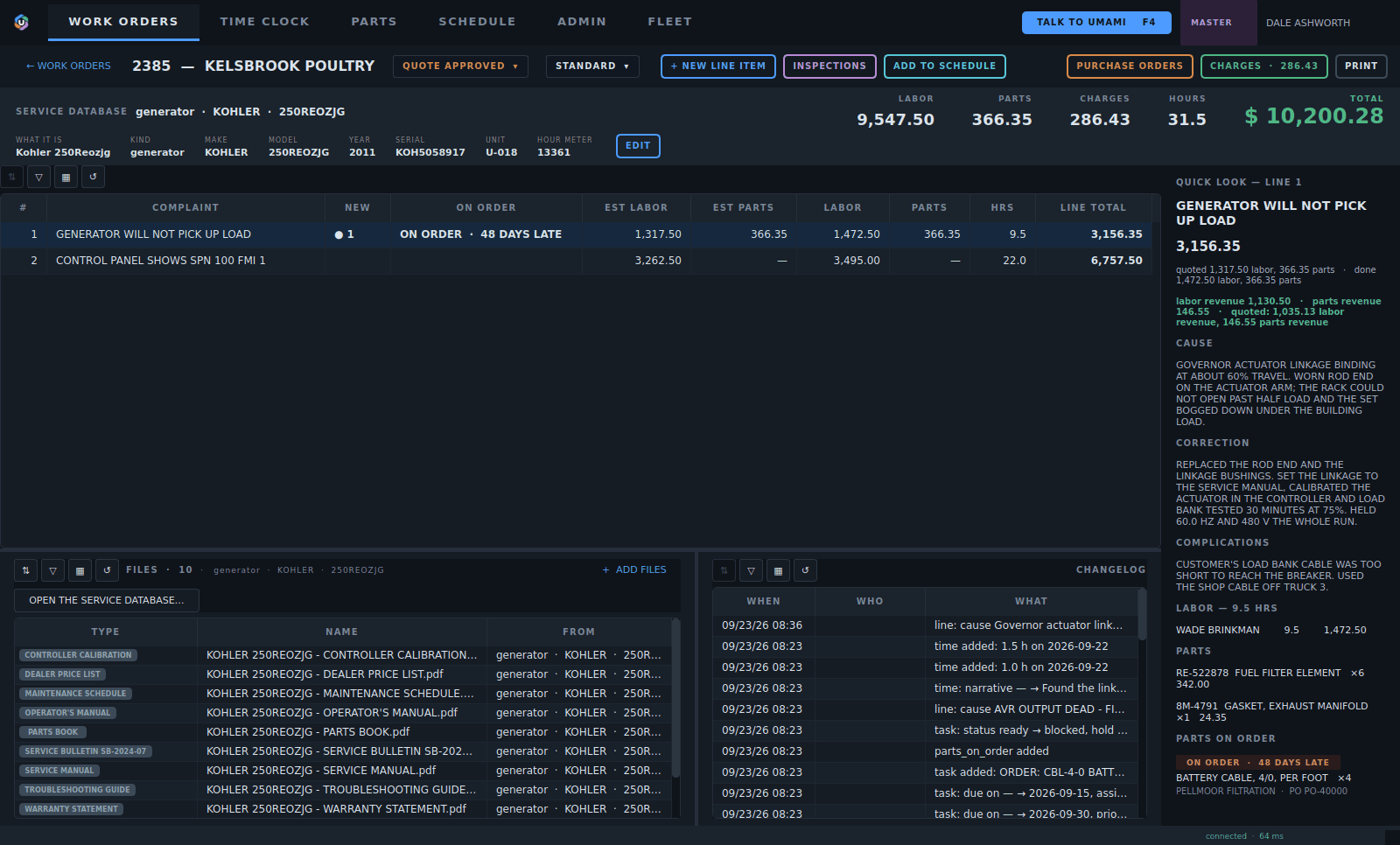
1Add a line, start an inspection or put the job on the schedule.
2The machine, its serial and hour meter, linked to the service database.
3Each line is one complaint with its own quote, labor and parts.
4The model's manuals and drawings, right on the job.
5Labor, parts, charges and hours, totalled as the job goes.
6The selected line's story, labor and parts without opening it.
7Every change recorded: when, who and what.
- Add a line, start an inspection or put the job on the schedule.
- The machine, its serial and hour meter, linked to the service database.
- Each line is one complaint with its own quote, labor and parts.
- The model's manuals and drawings, right on the job.
- Labor, parts, charges and hours, totalled as the job goes.
- The selected line's story, labor and parts without opening it.
- Every change recorded: when, who and what.
One line, its story
Each line opens to four pages: story, parts, labor and files.
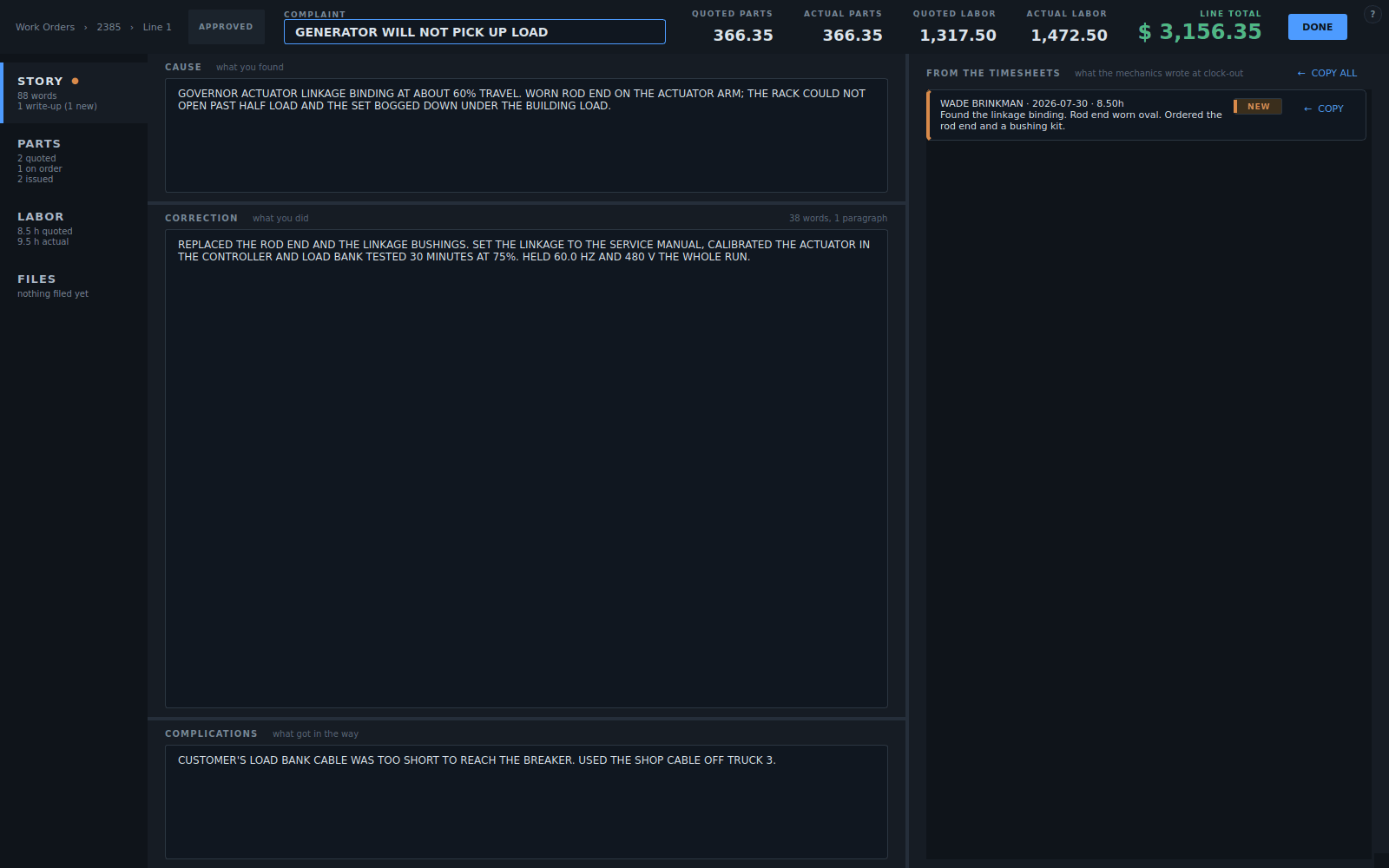
1Story: what was found and what was done.
2Parts: quoted, on order and issued.
3Labor: quoted against booked.
4Files: photos and papers.
5Quoted against actual, for parts and labor.
6Notes the tech wrote at clock-out. Copy them into the story.
7The cause, the correction and the complications, in the tech's words.
- Story: what was found and what was done.
- Parts: quoted, on order and issued.
- Labor: quoted against booked.
- Files: photos and papers.
- Quoted against actual, for parts and labor.
- Notes the tech wrote at clock-out. Copy them into the story.
- The cause, the correction and the complications, in the tech's words.